Recover an inference incident.
Inject a fault, inspect the original sensor readings, and reproduce a prediction under a 3,200-byte archive budget.
01 / PREPARE
Build the host tools
Install Git, CMake 3.16 or newer, a C++20 compiler, and Python 3.9 or newer with SQLite. Start with the tagged release candidate. The first two steps use the host and can run before you install QNX.
git clone --branch v1.0.0-rc1 https://github.com/shin0343/tracevault-ai.git
cd tracevault-ai
cmake -S . -B build -DCMAKE_BUILD_TYPE=Release
cmake --build build --parallel
ctest --test-dir build --output-on-failure
Check that the four host tests pass. Keep this terminal open for the next step.
02 / CAPTURE AND REPLAY
Open the incident window
Fit a PCA model on normal observations from two separate seeds. The third seed introduces a five-sample drift into the second sensor channel.
mkdir -p runs
lab=$(mktemp -d runs/codelab.XXXXXX)
build/workload 400 11 normal capture > "$lab/train.csv"
build/workload 400 22 normal capture > "$lab/cal.csv"
python3 tools/vault.py fit "$lab/train.csv" "$lab/cal.csv" > "$lab/model.json"
build/workload 400 41 drift capture > "$lab/drift.csv"
python3 tools/vault.py retain "$lab/drift.csv" "$lab/trace.db" "$lab/model.json" adaptive 3200
python3 tools/vault.py inspect "$lab/trace.db" --first-id 197 --last-id 207
python3 tools/replay.py "$lab/trace.db" 197 207
Inspect a raw row for the original two inputs and probability. A PC1 row stores one coefficient for approximate reconstruction. A lost row retains catalog metadata. Replay reports the prediction difference for raw observations. The 3,200-byte limit in this step covers the payload. The standalone QNX archive uses a complete-file limit.
03 / RUN ON QNX
Inject a delay on the target
Follow the QNX target guide to install the licensed QNX SDP 8, cross-compile, boot the image, copy the binaries to /data/tracevault and configure the tracevault-qnx SSH alias. Run sh target-check.sh on the target before continuing in the host terminal.
python3 tools/dashboard.py build/workload benchmarks/qnx-x86_64/model.json runs/qnx-demo \
  --target tracevault-qnx --archive submission/video/qnx-delay.tv
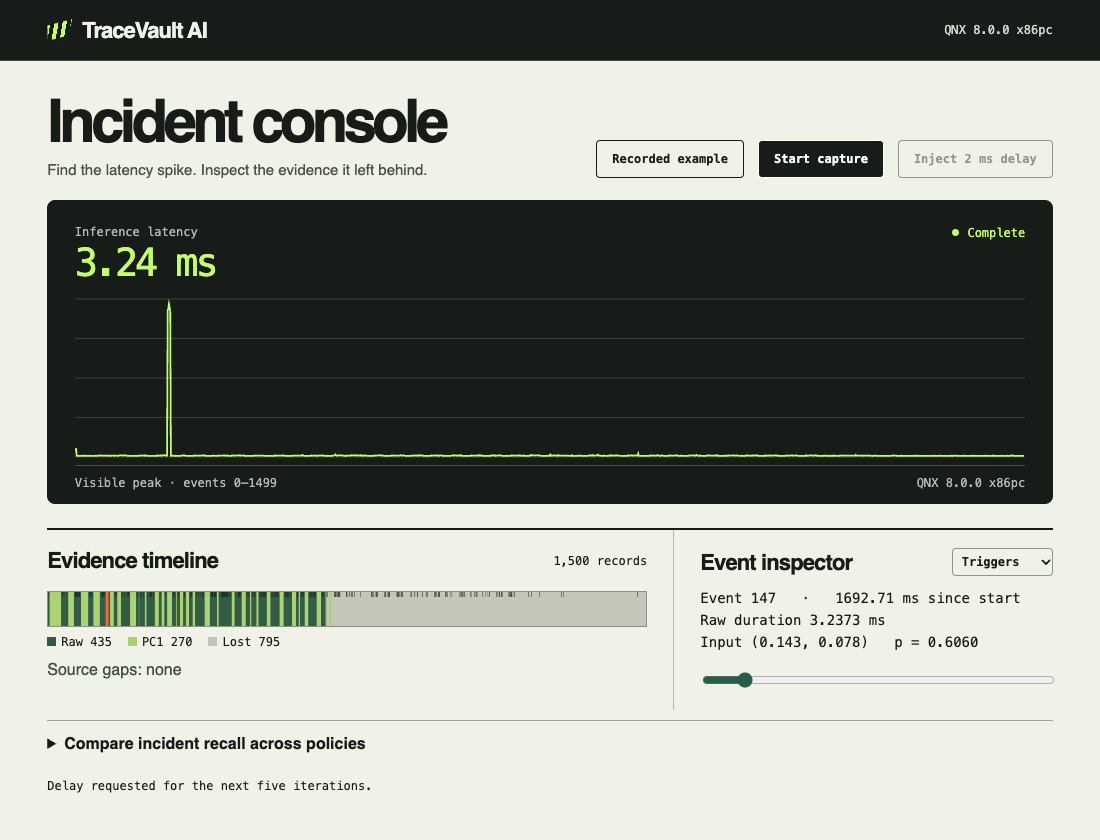
Open localhost:8877, select Start capture, then Inject 2 ms delay after data begins streaming. When capture completes, select Triggers in the inspector and choose a raw event. Compare its duration, two sensor inputs and classifier probability.
04 / COMPARE POLICIES
Spend the same 3,200 bytes
Run this benchmark with a fresh output directory. Update the compiler label if your QNX toolchain differs.
python3 tools/qnx-evaluate.py tracevault-qnx runs/qnx-codelab \
  --compiler 'QCC 12.2.0 gcc_ntox86_64' --seed 51 52 53 --reserve-ablation --skip-latency
Open runs/qnx-codelab/physical.csv and filter cap_bytes to 3,200 and fault to delay, compute and drift. For each policy, add the raw context and routine PC1 counts over the nine fault runs. Check that every archive fits.
| Policy | Raw context | Routine PC1 |
|---|---|---|
| Matched ring | 99 / 99 | 0 |
| Adaptive · 25% routine ceiling | 99 / 99 | 270 |
| Adaptive · 50% routine ceiling | 71 / 99 | 549 |
These reference results came from QNX 8 x86-64 in QEMU. Timing thresholds can change on another system. See the full evaluation for this experiment and the measured capture overhead.